GETTING STARTED
Quickstart
See also: Installation
Circuits frontend
Circuit configurations are specified by a either a Python dictionary or the equivalent JSON string:
{ "hyperparameters": {"default": [1000, 10]},
  "dataflow": [
    {"component": "input", "plugin": "codec", "send": [1]},
    {"component": "output", "plugin": "codec", "receive": [1]}
  ]}
The above configuration rendered as schematics:
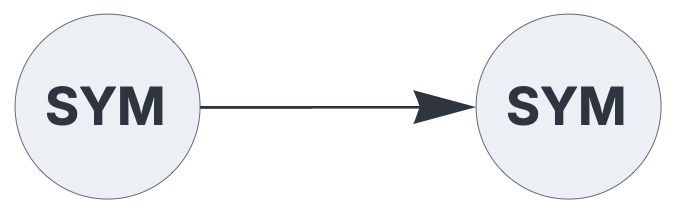
The Circuit factory function compiles a circuit
configuration (dict or JSON) and returns a dispatch dictionary.
This output includes a function property,
representing the set-processing function defined by the
circuit.
The circuit function takes one argument per
input component, and returns a tuple consisting of one element
per output component.
The default type of input and output blocks is mathematical sets or multisets. Excitatory signals are represented as positive integers, while their negative counterparts represent inhibitory signals. Optional input encoders and output decoders convert between external datatypes and the internal set-based representations.
Code
from creating_intelligence import Circuit

config = {
    'hyperparameters': {'default': [1000, 10]},
    'dataflow': [
        {'component': 'input', 'plugin': 'codec', 'send': [1]},
        {'component': 'output','plugin': 'codec', 'receive': [1]}
    ]
}

circ = Circuit(config)

print(circ['function']('Hello, World!'))
Output
('Hello, World!',)Inspect the dispatch dictionary:
Code
from pprint import pprint
pprint(circ)
Output
{'clear': <function Circuit.<locals>.clear at 0x10a0b9640>,
 'function': <function Circuit.<locals>.f at 0x10a0b94e0>,
 'nodes': <function Circuit.<locals>.<lambda> at 0x10a0b96f0>,
 'receive_blocks': [[1000, 10]],
 'schematics': <function Circuit.<locals>.schematics at 0x10a0b9590>,
 'send_blocks': [[1000, 10]]}
Properties of the output dictionary:
| Property | Description |
|---|---|
function |
the circuit’s function interface |
clear |
circuit destructor function |
receive_blocks |
list of hyperparameters [N,P] per input component |
send_blocks |
list of hyperparameters [N,P] per output component |
nodes |
internal configuration details |
schematics |
circuit schematics as PNG file |
Memory backend
Like the Circuit frontend, the
Memory backend is constructed via a factory
function. This mechanism is usually encapsulated within the
circuit’s memory components.
Here we create a standalone Topological Associative Memory instance:
Code
from creating_intelligence import Memory
config = { "A_parameters": [1000, 10],"B_parameters": [1000, 10]}
mem = Memory(config)

from pprint import pprint
pprint(mem)
Output
{'A_parameters': (1000, 10),
 'B_parameters': (1000, 10),
 'T': 7,
 'backend': 'c_ffi',
 'clear': <function Memory.<locals>.clear at 0x10d7fcd50>,
 'memorycount': <function Memory.<locals>.memorycount at 0x109b95380>,
 'retrieve': <function Memory.<locals>.retrieve at 0x109a65c70>,
 'store': <function Memory.<locals>.store at 0x109a65d20>}
Store an autoassociation in memory, then retrieve it from a partial, noisy query pattern:
Code
mem['store']([1,2,3,4,5,6,7,8,9,10])
mem['retrieve']([1,2,3,4,5,6,7,50,51,52,53,54,55,56])
Output
[1, 2, 3, 4, 5, 6, 7, 8, 9, 10]Properties of the output dictionary:
| Property | Description |
|---|---|
A_parameters |
input layer hyperparameters [N,P] |
B_parameters |
output layer parameters |
T |
retrieval pattern matching threshold |
store |
write to memory |
retrieve |
read from memory |
memorycount |
memory usage (bits) |
backend |
backend version identifier |
clear |
destructor function |
This framework includes multiple, functionally equivalent implementations of the Topological Associative Memory backend By default, a performance-optimized version written in Standard C is used. Switch to a native Python backend by setting this environment variable:
MEMORY_BACKEND="python"The same mechanism allows custom backend versions to be plugged into the framework and selected via the environment variable.